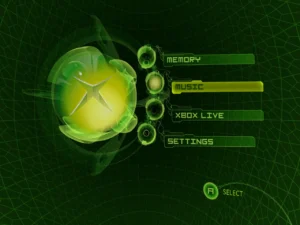
thinking about diving into Xbox emulation in 2026, the big question is: is Xemu worth using? From my experience, Xemu has come a long way, but it’s still a work in progress. Knowing its strengths and quirks can save hours of frustration, especially for newcomers who expect flawless gameplay right out of the box.
I’ve tested Xemu across multiple systems and titles, and while many popular games run smoothly, others stumble due to incomplete hardware emulation or GPU translation quirks. For anyone wondering whether to commit, understanding Xemu emulator limitations you should know is critical.
How compatible is Xemu with modern hardware?
Xemu relies on translating Xbox graphics APIs to modern PC-friendly APIs like Vulkan or DirectX. This works well for standard setups, but edge-case games can crash or show glitches. In my experience, even a mid-range PC can run most titles, but tweaking graphics and input settings often becomes necessary. If you’re just starting, a beginner’s setup guide for Xemu will help avoid early headaches.
Common performance and error concerns
Expect occasional crashes, audio desyncs, or frame drops, especially with older games or uncommon hardware configurations. During testing, I had to apply fixes from common Xemu error troubleshooting techniques to stabilize gameplay. Without these tweaks, some games simply won’t load correctly, which can be discouraging if you don’t know the workarounds.
Input and controller limitations
Even in 2026, Xemu doesn’t fully replicate every Xbox controller feature. Vibration, custom mapping, or low-latency inputs can be inconsistent. I personally spent time experimenting with advanced optimization settings to reduce input delay, and while it helped, it’s not as plug-and-play as some other emulators.
Should you use it in 2026?
Xemu is ideal for enthusiasts and those willing to tinker. If you value near-perfect compatibility, expect to spend time troubleshooting. However, for hobbyists or those wanting access to a large library of Xbox titles on PC, it’s a solid option. Just remember it’s evolving software, and patience goes a long way.
FAQs
Is Xemu better than other Xbox emulators?
It’s among the most actively developed, but “better” depends on the games you play and your tolerance for tinkering.
Can I run every Xbox game?
Not yet. Most mainstream titles run fine, but older or niche games may glitch or crash.
Do I need high-end hardware?
Better specs help, but Xemu can run on mid-range PCs with tweaks and settings adjustments.
Are controller issues common?
Yes, vibration and mapping may not work perfectly. Manual configuration often fixes most problems.
Will Xemu improve in the future?
Absolutely. Continuous updates are addressing performance, compatibility, and input responsiveness.
