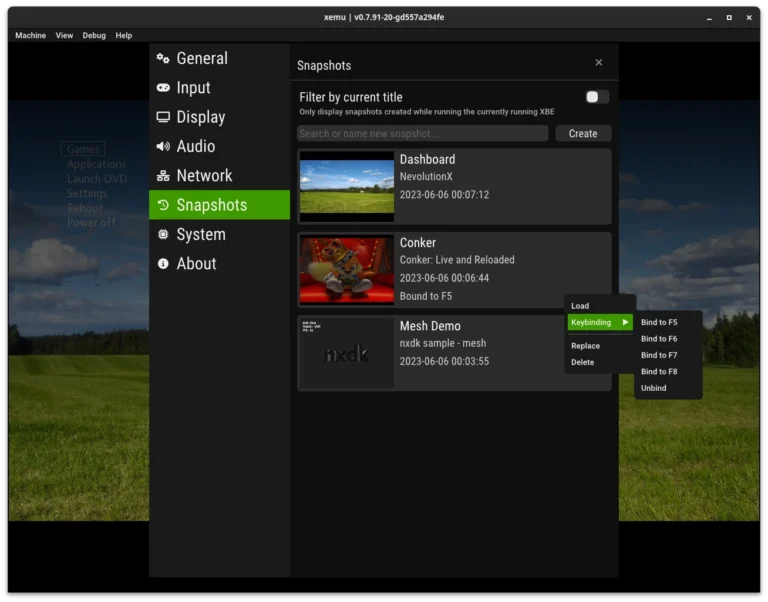
Many gamers wonder how close Xemu comes to a real Xbox experience. From frame rates to load times, it’s easy to overestimate an emulator’s fidelity. In my trials, I discovered that Xemu can deliver surprisingly smooth gameplay, but there are clear differences that anyone planning a long session should know. This post breaks down the performance gap and offers tips to get the most out of Xemu without sacrificing realism.
How Close Is Xemu to the Real Xbox?
From my personal testing, Xemu handles most original Xbox titles at near-native speeds, especially on modern mid-tier PCs. However, texture rendering and lighting effects often differ slightly from the console. I noticed minor input lag during fast-paced games, a detail many guides overlook. For beginners, following a basic emulator setup guide helps mitigate these initial performance quirks and ensures smoother gameplay from the first launch.
What Are the Key Performance Differences?
The most noticeable difference is frame consistency. On real hardware, frame rates are locked to the game’s native refresh, while Xemu can fluctuate depending on your GPU and CPU. Load times are generally faster on a PC with an SSD, but some cutscenes stutter if shader caches aren’t precompiled. Audio can also be slightly distorted under certain configurations, which I fixed after consulting common emulator error fixes shared by the community.
Can Hardware Make Xemu Match the Xbox?
Absolutely, to a degree. I experimented with a mid-range PC versus a higher-end setup, and the performance gap shrank significantly with Vulkan renderer tweaks and memory allocation adjustments. Advanced users can achieve near-console frame stability by applying optimization techniques for smoother gameplay, but even then, certain physics or lighting effects remain subtly different. It’s a trade-off between convenience and exact fidelity.
FAQs About Xemu vs Real Xbox
Will every game run identically on Xemu? Not entirely. Most titles work well, but some rare games have glitches or timing issues due to emulator limitations.
Does Xemu reduce load times compared to the Xbox? Often yes, especially with SSDs, but stutters can appear if shader caching isn’t optimized.
Is input lag noticeable on Xemu? Slightly in some fast-paced games. Using an XInput controller and configuring it carefully usually fixes this.
Can I get real Xbox graphics quality on Xemu? Near-identical visuals are possible with tweaks, but perfect replication is rare due to emulator rendering differences.
Is it worth using Xemu over a real Xbox? If convenience and modding matter, yes. For pure authenticity, the console remains unmatched.
Conclusion
Comparing Xemu Emulator to a real Xbox taught me that emulation is a balance of performance, convenience, and fidelity. Xemu offers impressive frame rates and load times but subtle differences in rendering and input can affect the experience. By combining these insights with advanced optimization techniques, careful setup, and awareness of common emulator errors, you can enjoy a near-console experience without owning the hardware. It’s not perfect, but for PC gamers craving flexibility, it’s surprisingly close.